Desktop tool · in use
Stocktake counter
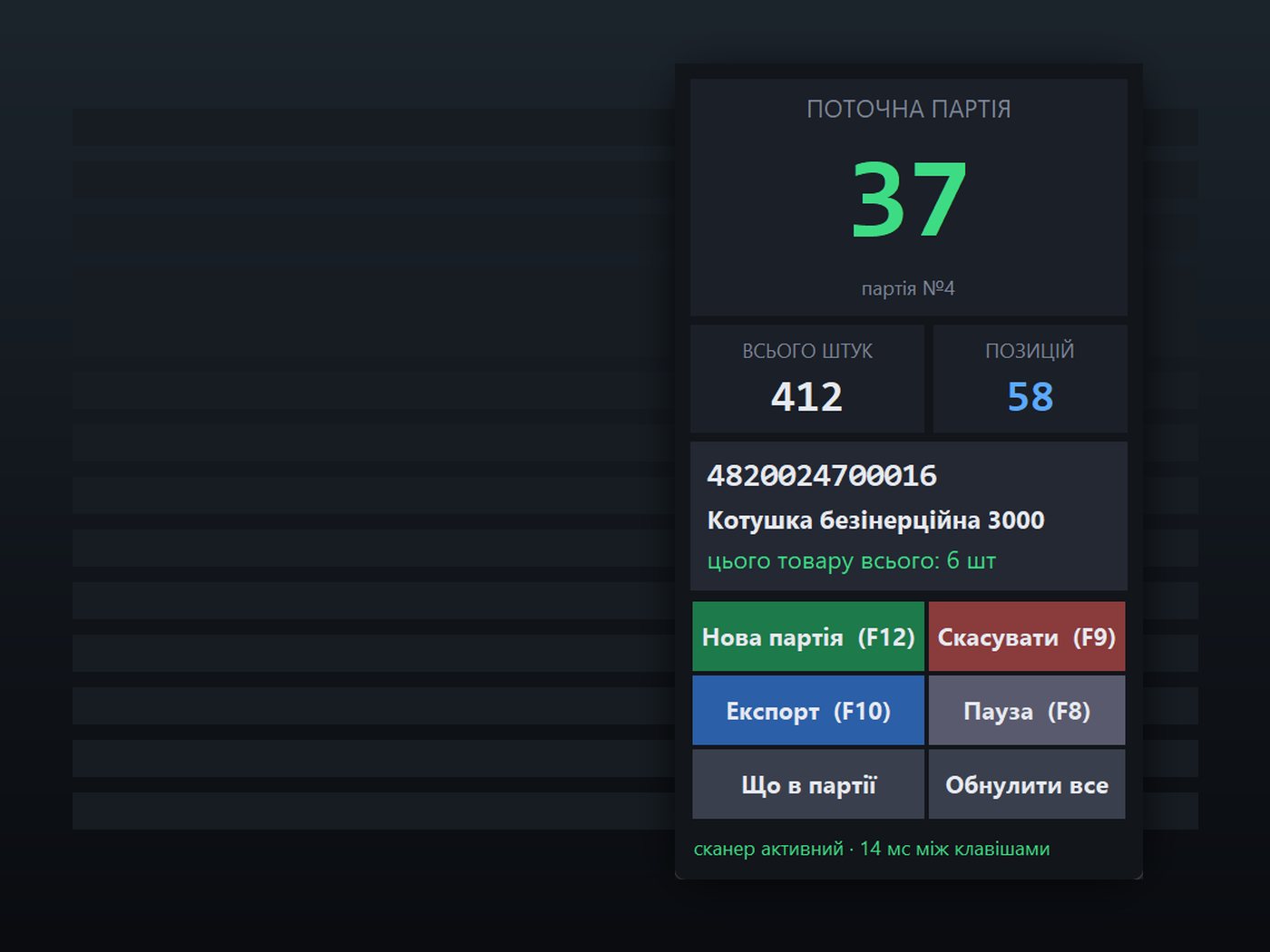
A floating window over UkrSklad that counts every barcode scan during stocktaking, because the accounting app only shows a sum in hryvnias.
Private repository · walkthrough on request
- 10–30 msper key from a scanner, the signal it relies on
- 0manual installs on a new laptop
- 3counters: batch, total, this item
- CSVand Excel export for UkrSklad
The problem
In UkrSklad's stock entry window the operator sees money, not pieces. During a stocktake nobody knows how many items are in the current batch or how many of one product were scanned, and a mistake means recounting the shelf.
How it works
- 01
The gap
The accounting app stays as it is. The counter runs next to it in a small window that is always on top.
- 02
Listen, don't steal
A USB scanner is just a very fast keyboard. A low-level keyboard hook sees every key without taking it away, so UkrSklad still receives its digits.
- 03
Scanner or person
A scanner types a whole code at 10–30 ms per key and ends with Enter; a person rarely goes faster than about 120 ms. Only the fast bursts count. Try it in the demo.
- 04
Counters that don't get lost
Current batch, total and the count for the product just scanned, with a journal on disk so a crash loses nothing.
- 05
Export for import
At the end the counts go to Excel or CSV in a shape UkrSklad can import.
- 06
Runs on any laptop
Nothing to install by hand. A batch file fetches Python if needed, and an offline mode packs everything for a laptop without internet.
Try it: type anything and press Enter, or simulate a scanner.
- batch
- 0
- total
- 0
- this item
- 0
Browser re-implementation of the rule. The desktop app reads keys through a WinAPI low-level hook and never takes them away from UkrSklad.
Limits I know about
- The rule depends on typing speed, so a scanner configured to send keys slowly would not be recognised until the threshold is adjusted in the config.